Best Free AI Image Sharpener Online 2026: Tested
We tested the best free AI image sharpener tools online in 2026 for blurry photos, unblur tools, soft details, noise, and image quality enhancement. The goal was simple: find which tools make photos clearer without plastic skin, halos, or fake-looking texture.
Sound familiar? Traditional photo editors can't fix this. They can adjust brightness or add filters, but they can't recover detail that isn't there. That's where AI image quality enhancers come in.
I tested over a dozen tools to find what actually works. Here's everything you need to know about enhancing image quality with AI in 2026.
What Is an AI Image Quality Enhancer?
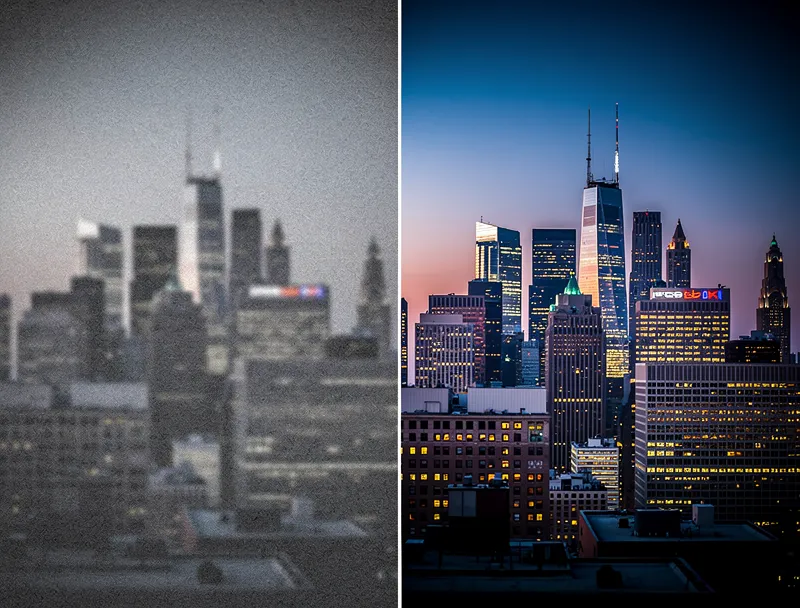
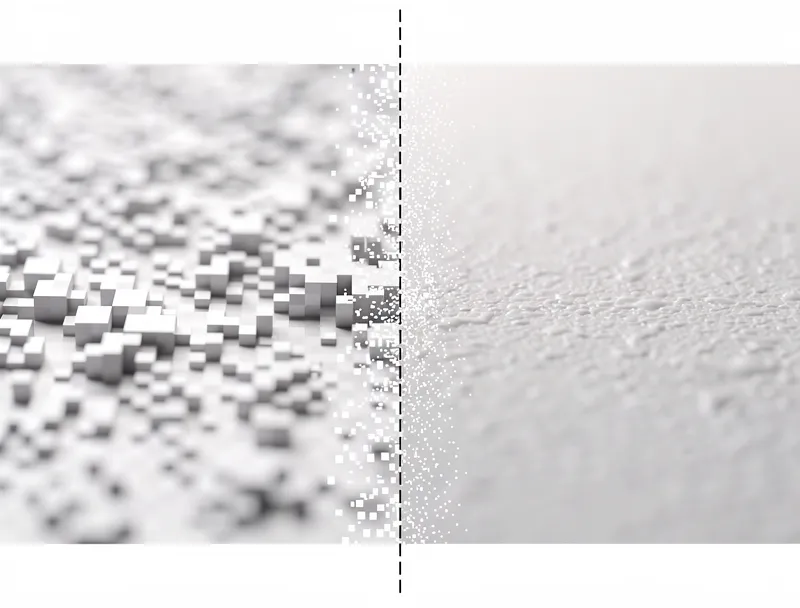
An AI image quality enhancer is a tool that uses neural networks to improve the clarity, sharpness, and overall quality of your photos. Unlike basic editing software that just tweaks existing pixels, AI enhancement actually generates new detail.
Think of it this way: traditional sharpening makes edges more contrasty. It fakes sharpness. AI enhancement looks at the patterns in your image and predicts what the missing detail should look like, then fills it in.
The difference is dramatic.
How AI Image Enhancement Actually Works
The technology behind AI image quality enhancers is called super-resolution. These tools are trained on millions of image pairs: a high-quality original and a degraded version of the same photo.
During training, the AI learns to recognize patterns. It learns that blurry edges in a portrait usually mean hair strands or skin texture. It learns that noise in a landscape photo is hiding grass blades or tree bark. After seeing millions of examples, it gets remarkably good at reconstruction.
Here's what happens when you enhance a photo:
- Analysis - The AI scans your entire image, identifying objects, textures, and problem areas
- Pattern matching - It compares what it sees against its training data
- Detail generation - New pixels are created based on what should logically be there
- Refinement - The output is smoothed so new details blend naturally with existing ones
This process takes seconds. The results look like you re-shot the photo with a better camera.
AI Enhancement vs Traditional Photo Editing
Let's be specific about what makes AI different.
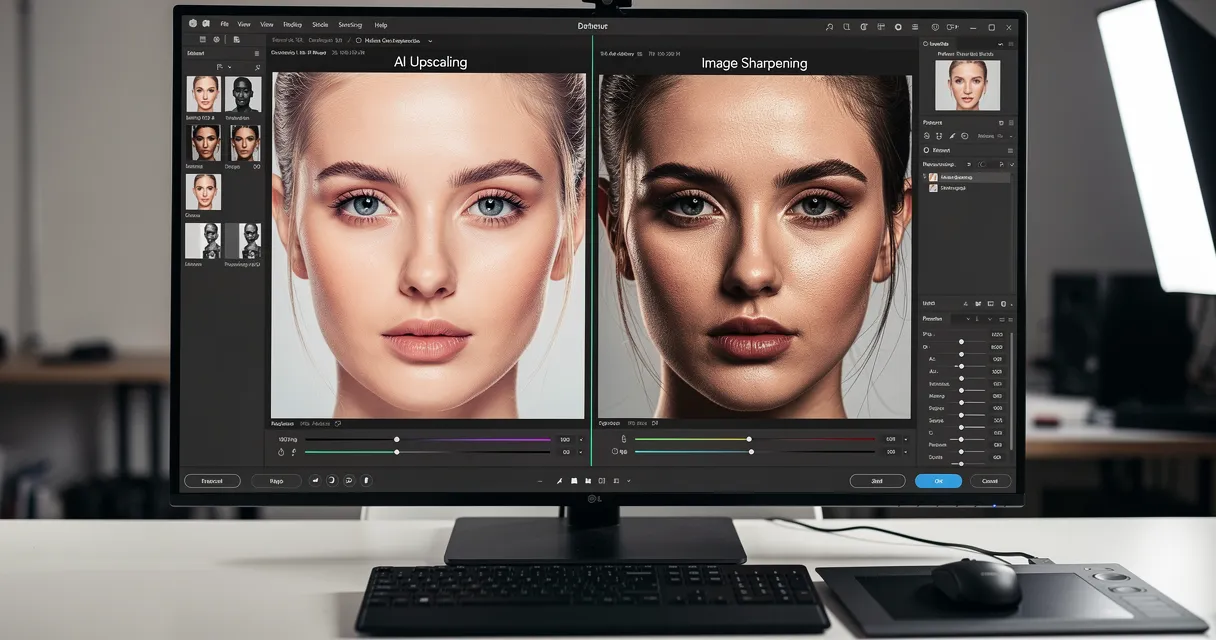
Sharpening
Traditional: Increases contrast along edges using unsharp mask. Makes halos around objects. Amplifies noise.
AI: Reconstructs actual edge detail. Hair strands become individual strands, not just high-contrast blobs. No halos, no noise amplification.
Noise Reduction
Traditional: Blurs the noisy areas. You lose detail to remove grain. It's a tradeoff with no good outcome.
AI: Separates noise from real detail. Removes grain while preserving (and even recovering) texture underneath. The photo gets cleaner AND sharper.
Detail Recovery
Traditional: Not possible. You can't create detail from nothing with Photoshop filters.
AI: Generates plausible detail based on context. A blurry sign becomes readable. A distant face gains recognizable features. A compressed JPEG recovers its lost texture.
When You Need an Image Quality Enhancer
Here are the most common situations where AI enhancement saves the day:
Old Photos and Scans
Family photos from the 90s. Scanned prints from before digital cameras. These images are often small, noisy, and soft. AI enhancement brings them back to life, making them sharp enough to print or share.
Smartphone Photos in Bad Light
Low-light phone photos are noisy. Indoor shots without flash look grainy. AI removes that grain and sharpens details that the small phone sensor couldn't capture properly.
Compressed Images
Photos downloaded from social media or messaging apps lose quality during compression. JPEG artifacts make everything look blocky. AI enhancement reverses much of this damage.
Cropped Photos
Cropping throws away pixels. What looked fine at full size becomes blurry when you zoom into a small section. AI enhancement rebuilds detail after cropping, so your cropped shots stay sharp.
E-commerce Product Photos
Product images need to look professional. If your photos were shot with basic equipment, AI enhancement can make them look like they came from a studio setup. Try our AI photo enhancer to see the difference on your product photos.
How to Enhance Image Quality for Free
You don't need expensive software. Here's how to enhance any photo in under 30 seconds:
Step 1: Open the AI photo enhancer
Step 2: Upload your photo. Drag and drop or click to browse. Supports JPG, PNG, WebP, and more.
Step 3: Select your enhancement level. 2x is great for mild quality improvements. 4x is best for heavily degraded photos.
Step 4: Click enhance and wait a few seconds. The AI processes your image server-side, so it works on any device.
Step 5: Download your enhanced photo. That's it.
No account required. No watermarks. No credit card.
Tips for Getting the Best Enhancement Results
AI enhancement is powerful, but your results improve when you follow these guidelines:
Start with the Best Source
If you have the original photo, use that instead of a compressed copy. The more data the AI has to work with, the better the output.
Choose the Right Enhancement Level
Bigger isn't always better. A slightly soft photo might only need 2x enhancement. Going to 4x on an already decent image can sometimes add unwanted smoothing.
Check the Output at 100% Zoom
Always view your enhanced photo at full size. Thumbnail views hide both problems and improvements. Zoom to 100% to see the real quality.
Enhance Before Editing
Run AI enhancement as your first step, before applying any other edits. Sharpening or denoising before AI enhancement can confuse the neural network and reduce quality.
What AI Enhancement Can't Do
Setting expectations matters. AI image quality enhancement is impressive, but it has limits.
Severely out-of-focus photos - If the subject is a complete blur with no edge information, AI can't guess what was there. It needs some signal to work with.
Extreme motion blur - Light motion blur gets fixed. Heavy streak blur from rapid camera movement is much harder to recover.
Completely destroyed files - Corrupt images with missing data chunks can't be enhanced because the data simply isn't there.
Artistic intent - If your photo was intentionally soft or dreamy, AI enhancement will remove that effect. It's designed to maximize clarity.
For everything else, the results are remarkably good.
AI Image Quality Enhancer vs AI Image Upscaler
People often confuse these terms, but they overlap significantly. Here's the distinction:
Image quality enhancement focuses on making your photo cleaner and sharper at its current size. Noise removal, detail recovery, and clarity improvement.
Image upscaling increases the resolution, making the image larger while maintaining or improving quality.
The best tools do both simultaneously. When you use MyImageUpscaler, the AI enhances quality AND increases resolution in a single pass. Your photo gets sharper, cleaner, and bigger all at once.
Frequently Asked Questions
Is AI image quality enhancement free?
Yes. MyImageUpscaler offers free AI image quality enhancement with no signup required to test. You get instant results without watermarks.
Does AI enhancement work on all photo types?
It works best on photos with recognizable subjects like portraits, landscapes, products, and architecture. Abstract images or heavily stylized graphics may see less improvement.
Will AI enhancement change my photo's colors?
No. Good AI enhancers preserve the original color profile. They improve sharpness and detail without altering white balance, saturation, or color tone.
How large can my files be?
Most online tools accept images up to 10MB or larger. If your file exceeds the limit, try saving it as a compressed JPG first.
Can I enhance multiple photos at once?
Many tools support batch processing. This is especially useful for e-commerce sellers or photographers with large photo libraries.
Start Enhancing Your Photos Now
Blurry photos don't have to stay blurry. AI image quality enhancement has made professional-level photo improvement accessible to everyone, and it takes seconds.
Whether you're cleaning up old family photos, sharpening smartphone shots, or preparing product images for your store, AI enhancement delivers results that traditional editing simply can't match.
Upload your photo to the AI enhancer and see the difference yourself. Free, instant, no signup required.

Reviewed byJoao Furtado
AI Image Upscaling Specialist
Joao is the founder of MyImageUpscaler and an AI image upscaling specialist. He tests every guide against real upscaling workflows — comparing model outputs, evaluating sharpness and artifact tradeoffs, and validating tool recommendations before publication.
- AI image upscaling
- Model comparison
- Photo restoration
- E-commerce image prep