

![AI Image Upscaler for Etsy Sellers: Get Sharper Product Photos [2026]](https://xqysaylskffsfwunczbd.supabase.co/storage/v1/object/public/blog-images/2026/02/1771367329096-featured-etsy-upscaler.webp)
AI Image Upscaler for Etsy Sellers
Your product photos are doing the selling for you. On Etsy, buyers can't touch, smell, or hold your items — they scroll past dozens of listings and make split-second judgments based on one thing: your images.
Blurry photos kill sales. High-res images build trust.
If you've been uploading product shots that look fine on your phone but come out soft or pixelated in the Etsy listing, you're not alone. Most phone cameras capture at a lower resolution than what Etsy displays at full size. The fix is simpler than you think: upscale images for Etsy before you upload them.
Why You Need to Upscale Images for Etsy
Etsy recommends images that are at least 2000 pixels on the shortest side. That's the minimum. For zoom functionality — which is what buyers use to inspect your craft, texture, and details — you want images at 3000px or higher.
Here's the problem: most product photos shot on a phone or a basic camera don't meet that bar. When Etsy stretches those images to fill the preview, you get soft edges, blurry textures, and a product that looks cheap even if it isn't.
AI upscaling fixes that. It doesn't just stretch pixels — it analyzes the existing detail and generates the missing data intelligently. The result is a sharper, larger image that holds up at any zoom level.
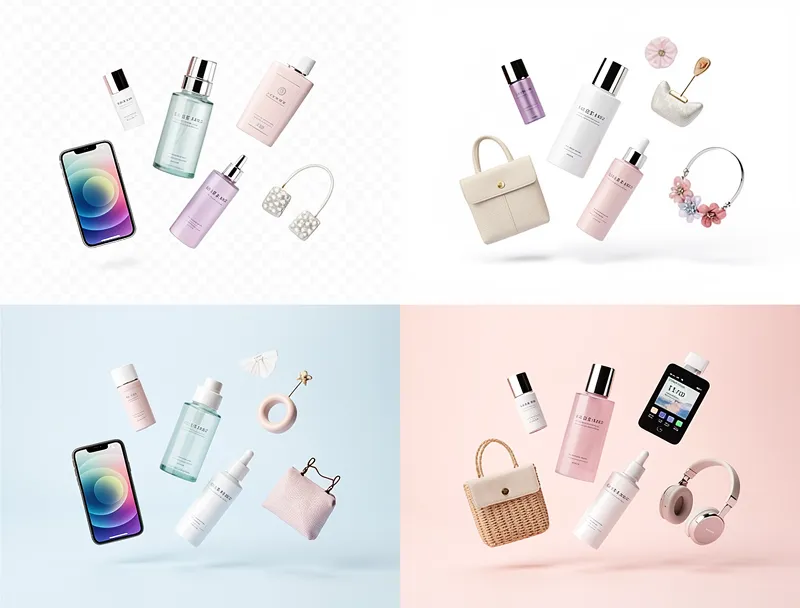
Etsy buyers zoom in. They check stitching on handmade bags. They look at brush strokes on paintings. They examine the clarity of lettering on custom prints. Low-res images fail every single one of those inspections.
How AI Upscaling Works (and Why It Beats Regular Resizing)
Opening your photo in Photoshop and dragging the canvas to a bigger size doesn't add resolution — it just makes the existing blur bigger. You end up with a large blurry image instead of a small blurry one. That's useless.
AI upscaling is different. Tools like the AI Image Upscaler use neural networks trained on millions of images. When given a low-res product photo, they don't guess randomly — they reconstruct realistic detail based on what they've learned about how textures, edges, and surfaces should look.
The difference is visible. Fabric textures become defined. Product edges go from soft to sharp. Text on labels becomes readable. Backgrounds get crisp.
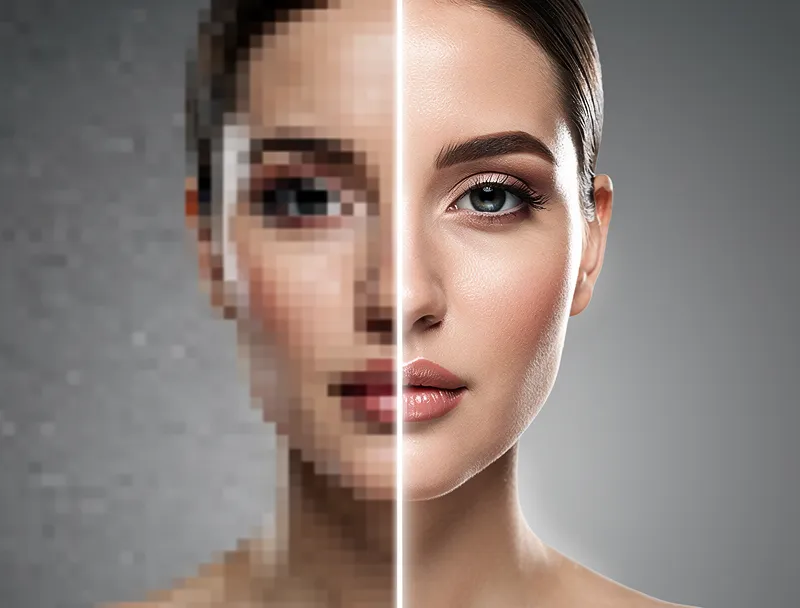
For Etsy sellers specifically, this matters because:
- Handmade items sell on details. Buyers want to see the craftsmanship. Blurry photos hide it.
- High-competition niches. If everyone in your category has similar products, sharper photos give you a visible edge.
- Zoom triggers inspection. Listings with zoom-ready images convert better because buyers feel more confident.
- First photo determines click-through rate. The thumbnail that appears in search results is cropped and compressed — starting with a higher-res image means your thumbnail stays sharp.
How to Upscale Your Etsy Product Photos: Step by Step
You don't need Photoshop. You don't need a design degree. Here's how to upscale images for Etsy in under a minute:
Step 1: Open the upscaler tool
Go to the free AI upscaler — no account needed, no software to install.
Step 2: Upload your product photo
Drag and drop your JPG or PNG file. The tool accepts images up to 10MB.
Step 3: Select your upscale factor
For most Etsy listings, 2x is enough to hit the 2000px minimum. If your original is very small (under 600px), go 4x.
Step 4: Download the enhanced image
Once processing finishes — usually under 30 seconds — download your upscaled photo. It's ready to upload directly to your Etsy listing.
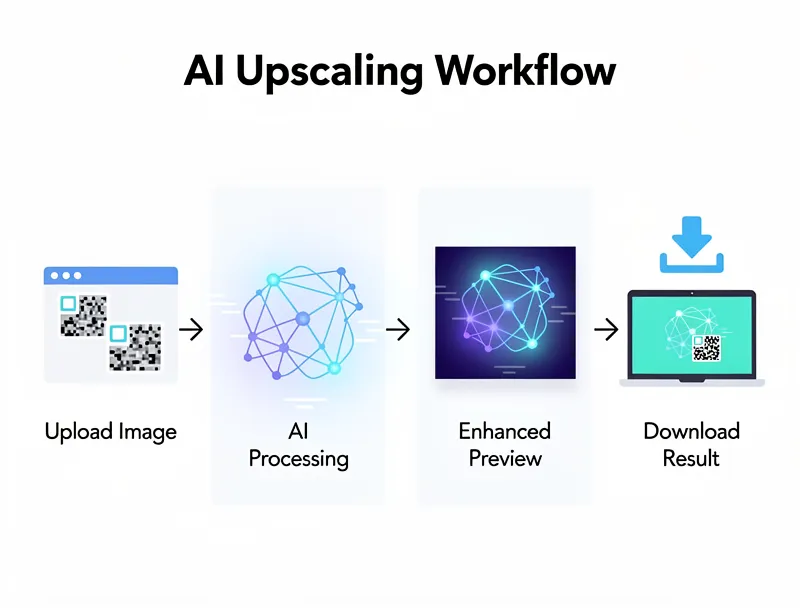
Step 5: Upload to Etsy
Etsy accepts JPEG and PNG files up to 100MB. Your upscaled image will be well within that limit and will display sharply at full size and zoom.
Start upscaling your Etsy product photos now — free, no signup required.
Which Etsy Sellers Benefit Most
This tool is useful for any shop category, but a few types of sellers see especially dramatic results:
Printable art and digital downloads. If you sell digital files, buyers judge entirely on the preview image. Upscaling your mockup photos makes them look like professional studio shots.
Handmade jewelry. Small items photographed close-up often lose sharpness. Upscaling recovers the metalwork detail, stone texture, and setting clarity that buyers need to see before purchasing.
Custom stationery and paper goods. Text clarity is critical. Upscaled images show letterpress texture, foil detail, and font crispness that standard resolution can't show.
Vintage clothing and accessories. Fabric patterns, stitching, and labels need to be clearly visible. Upscaling makes condition details legible — which reduces questions, disputes, and returns.
Ceramics and pottery. Glaze textures, imperfections, and handmade character are selling points. High-res images let buyers see what makes your piece unique.
What About Etsy's Image Requirements?
Etsy accepts images in JPG and PNG format. Their platform recommendations are:
- Minimum: 2000px on the shortest side
- Recommended: 3000px on the shortest side
- Aspect ratio: Etsy crops thumbnails to 1:1, but full images can be any ratio
- File size: Under 100MB per image
If your current product photos are under 1500px on the short side, upscaling to 2x will get you into compliant range. For photos between 1000–1500px, 4x gives you a comfortable buffer and future-proofs your listings for retina displays.
Tips for Better Results
A few things to keep in mind when you upscale images for Etsy:
Start with your best-quality original. AI upscaling improves resolution but can't recover heavily compressed or corrupted files. Use the original camera file when possible, not a screenshot or exported thumbnail.
Use natural lighting when shooting. Even a low-res photo taken in good light will upscale better than a high-res photo taken under harsh artificial lighting. Noise and banding are harder for AI to resolve.
Shoot against a clean background. Busy backgrounds with lots of competing detail can distract from your product. A white or neutral background gives the AI more to work with on the product itself.
Don't over-sharpen after upscaling. The upscaled image will already be sharper than your original. Run it through Etsy's listing preview before adding any additional sharpening in a photo editor.
Batch your photos. If you have a full product catalog to update, use the free upscaler to process multiple images. It handles batch workflows efficiently and saves significant time compared to one-by-one manual editing.
Frequently Asked Questions
Does upscaling actually help with Etsy search rankings?
Etsy's algorithm doesn't directly measure image resolution, but it does track click-through rate, conversion rate, and listing quality scores. Better images lead to more clicks and more sales — which the algorithm rewards with better placement. So yes, indirectly.
Will buyers be able to tell the image was upscaled?
No. AI upscaling produces natural-looking results that preserve the character of your original photo. The output looks like a higher-resolution version of the original, not an obviously processed image.
How many images can I upscale for free?
The free tier lets you upscale images without creating an account. You can use it for your full product catalog without any subscription required.
What file format should I download?
PNG for products with white or transparent backgrounds (keeps edges sharp). JPEG works well for lifestyle photos or any image with complex backgrounds. Either format is fully compatible with Etsy's upload system.
Your Listings Deserve Better Photos
Every sale you're not getting because of blurry images is a sale your competition is getting instead. Fixing your photo resolution is one of the fastest, cheapest improvements you can make to your Etsy shop — and now it takes less than a minute.
Upscale your Etsy product photos now — free, no account required, instant results.
Frequently Asked Questions
Quick answers for this guide
How do I choose the right AI image upscaler for etsy sellers get sharper product photos []?+
Etsy requires 2000px minimum images. Learn how to upscale images for Etsy in under a minute with free AI upscaling — no account, no software needed. Compare tools by output sharpness, watermark policy, signup requirements, file limits, export quality, and whether the result holds up when inspected at 100%.
When should I use AI upscaling for this workflow?+
Use AI upscaling when the original image is too small for the target use case but still has enough detail to guide the model. For guides work, pay closest attention to source image quality, upscale settings, output dimensions, and final visual inspection, especially upscale, ecommerce, product-photos.
How do I avoid losing quality after upscaling?+
Upscale once from the best original, avoid repeated compression, keep important text and edges sharp, and export in a format that matches the final use. If the output shows halos, smeared texture, or distorted text, reduce the upscale factor or use a cleaner source image.

Reviewed byJoao Furtado
AI Image Upscaling Specialist
Joao is the founder of MyImageUpscaler and an AI image upscaling specialist. He tests every guide against real upscaling workflows — comparing model outputs, evaluating sharpness and artifact tradeoffs, and validating tool recommendations before publication.
- AI image upscaling
- Model comparison
- Photo restoration
- E-commerce image prep
![Upscale Image Online Free — No Sign Up, No Watermarks [2026]](https://xqysaylskffsfwunczbd.supabase.co/storage/v1/object/public/blog-images/2026/02/1771797822106-featured-online-upscaler.webp)