
![How to Upscale Real Estate Photos with AI: Get More Views on Zillow [2026]](https://xqysaylskffsfwunczbd.supabase.co/storage/v1/object/public/blog-images/2026/03/1772575442661-re-featured.webp)
How to Upscale Real Estate Photos with AI: Get More Views on Zillow [2026]
Grainy, dark, pixelated listing photos cost you showings. Buyers scroll past low-quality images in seconds — and on Zillow, Redfin, or Realtor.com, you have maybe 3 seconds to make them stop.
AI photo upscaling fixes that. You can take an average phone photo or an old 8MP camera shot and turn it into a sharp, print-ready image that looks like a professional photographer showed up with a full-frame DSLR. No reshooting. No expensive editing software.
Here's exactly how to do it.
Why Low-Resolution Listing Photos Kill Sales
Properties with high-quality photos sell 32% faster and for up to $11,000 more than listings with poor images, according to the National Association of Realtors. Yet most agents still upload underexposed, low-resolution photos that look terrible on a 4K monitor.
The problem isn't always the photographer — it's the source files. Your client's 2018 iPhone, the dim living room, the MLS system that compressed the upload. By the time the photo reaches Zillow, it's often half the resolution it needs to be.
AI upscaling solves this at the source by reconstructing detail that compression destroyed.

Try It Yourself
Upload your image and see the AI enhancement in action. Start with 5 free credits.
What AI Upscaling Does to Real Estate Photos
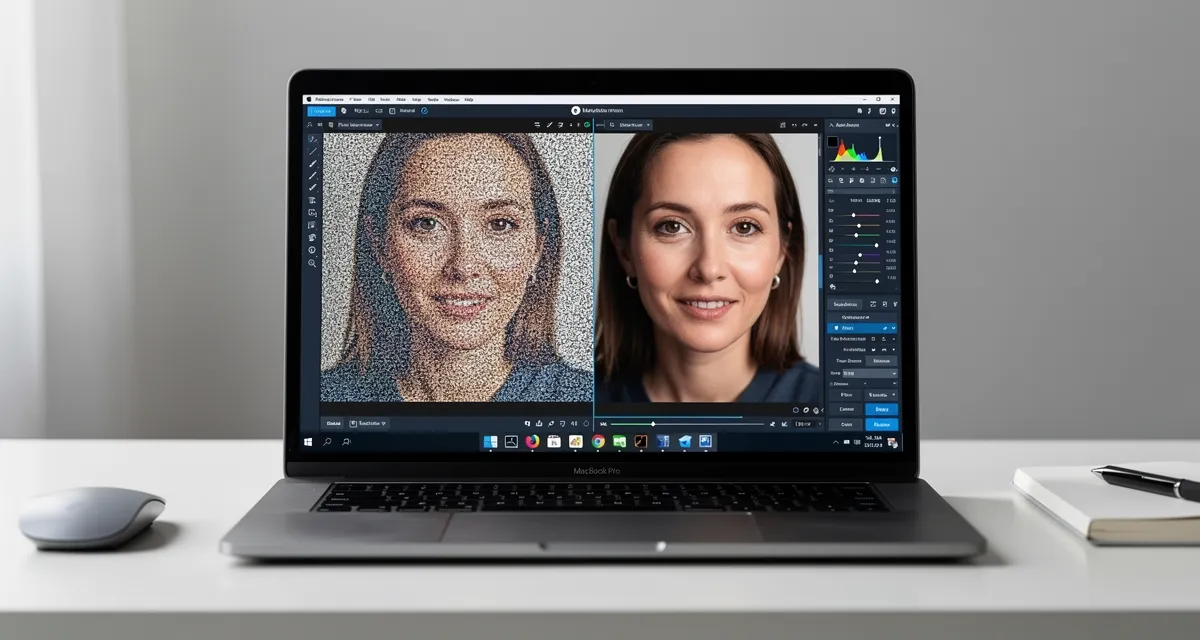
Traditional resizing blurs photos. Photoshop's bicubic interpolation guesses pixels. AI upscaling is different — a neural network trained on millions of images recognizes walls, windows, floors, and light patterns, then fills in realistic detail that wasn't in the original file.
The result: your listing photos go from blurry 1MP thumbnails to sharp, MLS-ready 4K images in about 10 seconds.
!Before and after AI enhancement comparison of a real estate interior listing photo
What changes in a real estate photo after AI upscaling:
- Texture detail: Wood floors, tile grout, brick patterns become visible instead of smeared
- Window clarity: Views that were blown out or muddy become distinct
- Edge sharpness: Doorframes, countertops, and architectural lines sharpen
- Low-light recovery: Evening and interior shots get more usable detail
Step-by-Step: Upscale Your Listing Photos
Upscaling a real estate photo takes less than 60 seconds. Here's how:
Step 1: Download your MLS-sized photo
Most MLS systems compress uploads to under 1MB. Download the original from your camera or phone instead — you want the biggest file possible before upscaling.
Step 2: Upload to the AI upscaler
Go to MyImageUpscaler.com and drag your photo into the uploader. No account required for your first test.
Step 3: Choose your scale factor
For real estate photo enhancement, 2x is usually enough for interior shots already above 3MP. Use 4x for older photos, phone shots, or anything under 2MB.
Step 4: Download and upload to MLS
The enhanced photo downloads as a high-resolution file. Re-upload directly to your MLS or Zillow listing.
That's it.
!Step-by-step AI upscaling workflow for real estate listing photos
Which Real Estate Photos Benefit Most
Not all listing photos benefit equally from AI upscaling. These do best:
High-impact:
- Bathroom close-ups (tile detail, fixture clarity)
- Kitchen countertops and backsplash
- Hardwood floor shots (grain and texture)
- Exterior dusk and twilight shots (noise reduction)
- Historic homes with architectural detail
Moderate impact:
- Living room wide-angle shots (already rely on composition)
- Bedroom photos in good lighting
Less useful:
- Completely blown-out windows with no recoverable detail
- Motion-blurred photos (upscaling can't fix motion)
For properties listed on Zillow real estate listing pages, higher resolution photos appear larger in search results on desktop — another reason to upscale everything before uploading.
Tips for Best Results
Always upscale the original, not the compressed version
If you upscale an already-compressed Zillow download, the AI amplifies the compression artifacts. Go back to the camera original whenever possible.
Pair upscaling with basic exposure edits
Upscaling sharpens detail — it doesn't fix a photo that's 3 stops underexposed. Quickly adjust brightness in Lightroom or your phone's Photos app first, then upscale the improved version.
Batch process before listing, not after
Run all your photos through the upscaler the day before listing. This gives you time to review and reshoot anything that genuinely can't be saved.
Use free photo enhancer tools for quick tests
Before committing to a full listing batch, test one hero photo to verify the quality improvement. Most agents see the difference immediately.
See the Difference
Experience crystal-clear upscaling that preserves text, logos, and fine details.
How to Handle Specific Problem Photos
The dark kitchen: Upload the original. The AI recovers shadow detail that's invisible in the compressed version. Combine with a +20 brightness adjustment before upscaling.
The old listing reuse: Got a listing that sold 2 years ago and you need the photos for a similar property? Upscaling older photos to current MLS standards saves a reshoot.
The phone photo emergency: Client calls at 9pm, listing goes live at 8am, and they only have iPhone photos from 2020. Upscale 4x. It won't look like a professional shoot, but it'll look respectable.
Conclusion
Low-res listing photos are a solvable problem. AI upscaling takes 60 seconds per photo and can make a measurable difference in how buyers perceive your listings before they even book a showing.
Upscale your listing photos for free — no account needed, results in seconds.
Frequently Asked Questions
Does AI upscaling work on old film scans?
Yes. Scanned film often loses detail in the scanning process. AI upscaling reconstructs grain and texture that the scanner missed. For digitized old listing photos, upscaling to 4x typically produces excellent results.
What's the maximum file size I can upload?
MyImageUpscaler accepts files up to 10MB. For best results, use the highest-resolution original you have before uploading.
Can I upscale virtual tour screenshots?
Yes. Virtual tour screenshots are often 1080p or lower, which looks soft on 4K displays. Upscaling to 2x sharpens the frames and makes them usable for marketing materials.
Will upscaled photos pass MLS quality standards?
Yes. Most MLS systems require images above a certain pixel count. AI upscaling increases both resolution and perceived quality, so upscaled photos consistently meet or exceed MLS minimums.
How is this different from just resizing in Photoshop?
Photoshop resize interpolates — it copies existing pixels. AI upscaling generates new detail based on what the neural network learned from millions of real images. The visual difference is significant, especially in texture-heavy areas like tile, wood, and fabric.
Frequently Asked Questions
Quick answers for this guide
How do I upscale real estate photos with AI get more views on zillow []?+
Low-res listing photos cost you showings. Learn how AI upscaling turns phone shots and old MLS photos into sharp, high-resolution property images — try free now. Start with the highest-quality source file available, choose the smallest upscale factor that meets your target size, and inspect the result at 100% before publishing or printing.
When should I use AI upscaling for this workflow?+
Use AI upscaling when the original image is too small for the target use case but still has enough detail to guide the model. For guides work, pay closest attention to source image quality, upscale settings, output dimensions, and final visual inspection, especially upscale, real estate, photo.
How do I avoid losing quality after upscaling?+
Upscale once from the best original, avoid repeated compression, keep important text and edges sharp, and export in a format that matches the final use. If the output shows halos, smeared texture, or distorted text, reduce the upscale factor or use a cleaner source image.

Reviewed byJoao Furtado
AI Image Upscaling Specialist
Joao is the founder of MyImageUpscaler and an AI image upscaling specialist. He tests every guide against real upscaling workflows — comparing model outputs, evaluating sharpness and artifact tradeoffs, and validating tool recommendations before publication.
- AI image upscaling
- Model comparison
- Photo restoration
- E-commerce image prep
![Upscale Image Online Free — No Sign Up, No Watermarks [2026]](https://xqysaylskffsfwunczbd.supabase.co/storage/v1/object/public/blog-images/2026/02/1771797822106-featured-online-upscaler.webp)