

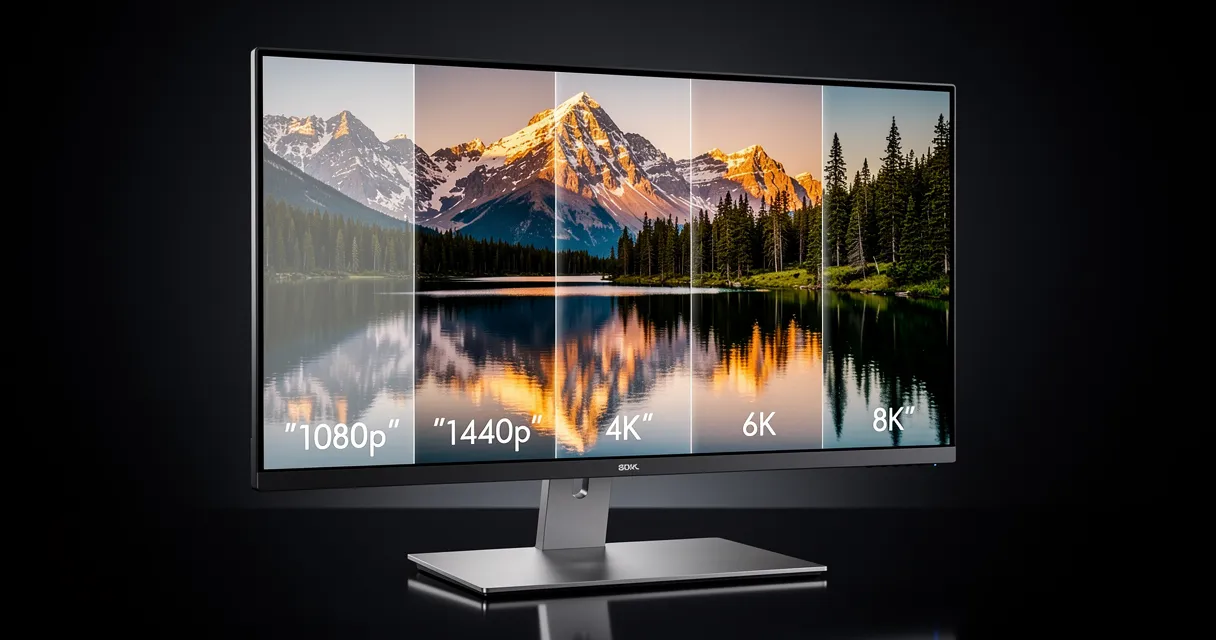
What Is 8K Image Resolution? (And How to Upscale Your Photos to 8K)
You've heard of 4K. You've seen 8K TVs in stores. But what does 8K actually mean for your photos — and can your images make it there?
Short answer: yes. And you don't need professional camera gear or expensive software to do it.
What Does 8K Resolution Actually Mean?
Resolution is just the number of pixels packed into an image. Here's how the numbers stack up:
| Resolution | Dimensions | Total Pixels |
|---|---|---|
| HD (1080p) | 1920 × 1080 | ~2 megapixels |
| 4K | 3840 × 2160 | ~8 megapixels |
| 8K | 7680 × 4320 | ~33 megapixels |
8K is 16x more pixels than 1080p. That's not just sharper — it's a completely different level of detail.
For photos, 8K resolution means you can print large enough to fill a wall and still see every pore, every blade of grass, every strand of hair in perfect clarity.
Why Would You Want 8K Images?
Most screens don't even display 8K yet. So why bother?
Three real reasons:
1. Large-format printing. Billboards, trade show banners, exhibition prints, and fine art reproductions all need massive resolution. At 300 DPI (print standard), an 8K image prints at roughly 25 inches × 14 inches — without any quality loss.
2. Future-proofing. 8K monitors and TVs are becoming mainstream. Images that look fine at 4K today might show compression artifacts tomorrow. Upscaling now protects your archive.
3. Cropping flexibility. With 33 megapixels to work with, you can crop aggressively for social media, thumbnails, or product shots without destroying quality.
The Problem: Most Photos Aren't Anywhere Near 8K
A typical smartphone photo is 12 megapixels — about 4032 × 3024. That's not even true 4K.
Even DSLR photographers shooting at 24MP don't hit 8K. The Sony A7R V at 61MP does — but that's a ,900 body.
So when you need 8K quality and don't have an 8K source file, what do you do?
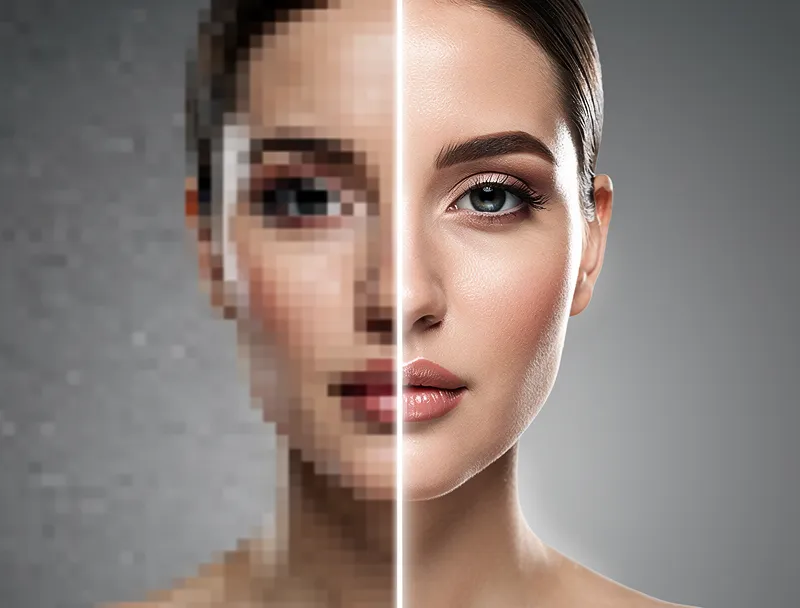
Traditional resizing makes it worse. You're just stretching existing pixels into a bigger grid. The result is blurry, soft, and pixelated.
How AI Upscaling Gets You to 8K
AI upscaling is different from traditional resizing in one crucial way: it generates new pixel information rather than copying old pixels.
Modern AI upscalers are trained on millions of image pairs — low-res and high-res versions of the same scene. The neural network learns what high-res images actually look like at the pixel level. When it upscales your image, it's not guessing blindly — it's applying learned patterns to reconstruct realistic detail.
The result? Images that look like they were captured at higher resolution, not just stretched.
Here's what the AI adds during 8K upscaling:
- Edge sharpening: Clean, defined borders instead of soft gradients
- Texture reconstruction: Fabric weaves, skin texture, foliage detail
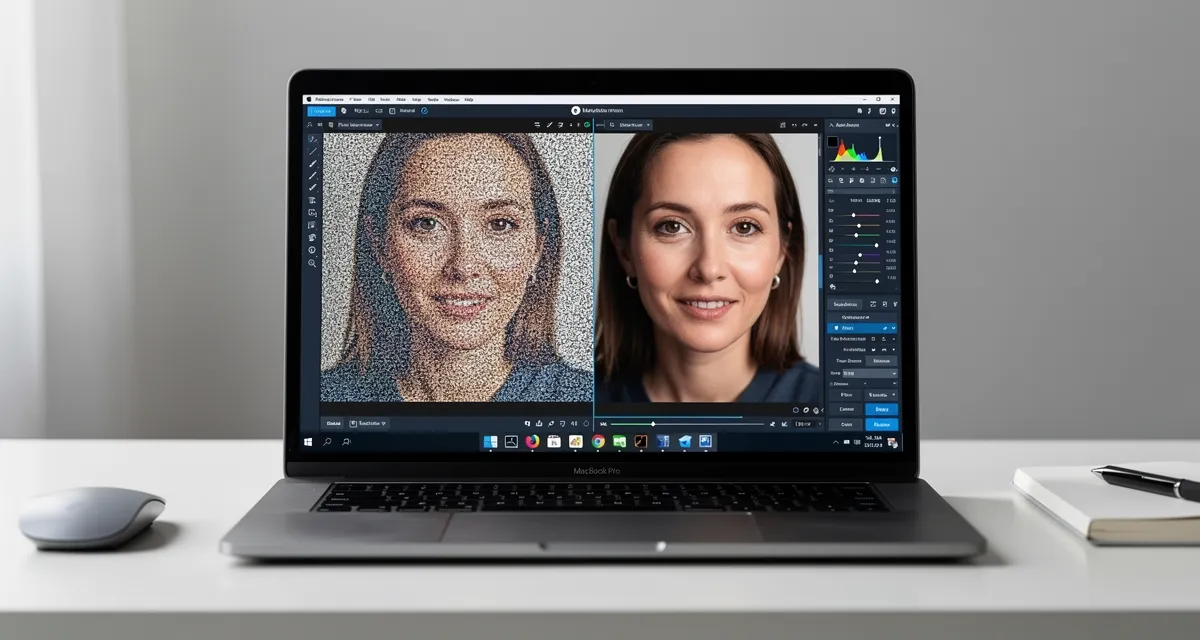
- Noise reduction: Removes compression artifacts and digital grain
- Color fidelity: Preserves the original color palette without washing out
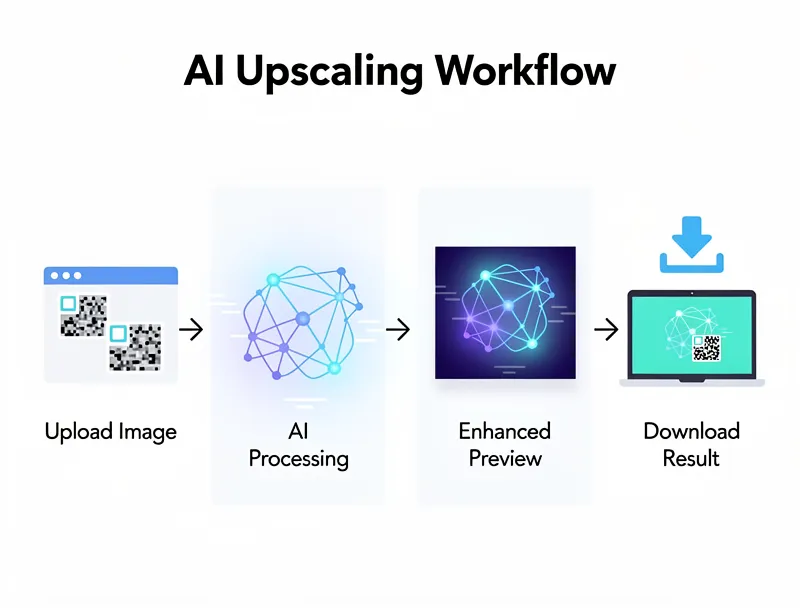
How to Upscale an Image to 8K: Step by Step
You don't need Photoshop. You don't need a subscription. Here's how to do it in under two minutes:
Step 1: Go to MyImageUpscaler.com
No account, no credit card, no download required. Open it in any browser.
Step 2: Upload your image
Drag and drop your photo, or click to browse. Supports JPG, PNG, WebP, AVIF, TIFF, and BMP.
Step 3: Select your upscale factor
Choose 2x, 4x, or more depending on your starting resolution. For a 12MP smartphone photo, 4x gives you near-8K quality at roughly 6000 × 4500 pixels.
Step 4: Download your enhanced image
The AI processes your image in seconds. Download the result — full resolution, ready for print or screen.
Pro tip: For true 8K output (7680 × 4320), start with an image of at least 1920 × 1080 and use 4x upscaling.
What Images Benefit Most from 8K Upscaling?
Not every photo benefits equally. Here's a quick breakdown:
Best candidates:
- Portrait photography (facial detail, skin texture)
- Landscape photos (fine foliage, water ripples, distant detail)
- Architecture (windows, brick, decorative elements)
- Product photography (material texture, fine print, stitching)
- Historical or scanned photos
Lower impact:
- Abstract or minimalist images (fewer fine details to recover)
- Already-blurry images (AI can't invent detail that was never there)
- Screenshots or digital graphics (already vector-sharp or pixel-perfect)
What File Format Should You Save 8K Images As?
Once you've upscaled to 8K, format matters:
| Format | Best For | Notes |
|---|---|---|
| PNG | Archiving, print prep | Lossless, large file size |
| JPG (100%) | Web delivery | Smaller, minimal quality loss at max quality |
| WebP | Web performance | Modern format, great compression |
| TIFF | Professional print workflow | Industry standard for print production |
For print: export as TIFF or PNG. For web: WebP or high-quality JPG.
Common Mistakes When Upscaling to 8K
Mistake 1: Starting with a heavily compressed JPG If your original has visible JPEG artifacts — blocky patterns, color banding — the AI will upscale those artifacts too. Start with the highest-quality original you have.
Mistake 2: Expecting 8K to fix motion blur AI upscaling adds detail, but it can't reverse camera shake or motion blur. That requires separate deblurring tools.
Mistake 3: Over-upscaling tiny thumbnails Going from a 200 × 200 thumbnail to 8K is a 38x upscale. Results degrade fast at those extremes. A 4x upscale on a decent original beats an 8x upscale on a tiny thumbnail every time.
Mistake 4: Using the wrong tool Not all upscalers are equal. Many older tools use bicubic interpolation dressed up as "AI." Real neural network upscalers show measurably better sharpness and texture recovery.
Is 8K Worth It? A Realistic Take
For most people, 8K is overkill for now. If you're uploading to Instagram or sending photos to family, 4K is more than sufficient.
But if you print large format, sell photos professionally, prepare assets for future platforms, or simply want the best possible version of your favorite images — 8K upscaling is a legitimate and increasingly practical tool.
And with free AI upscalers available today, the barrier is essentially zero.
Upscale Your Images to 8K — Free
Start upscaling your images now — no account required, no watermarks, instant results. Upload a photo and see the AI enhancement in under 30 seconds.
Whether you're preparing for a large print, building a professional portfolio, or future-proofing your favorite memories, high-resolution AI upscaling is faster and more accessible than ever.
Try the free AI upscaler and see what your images look like at 8K quality.
Frequently Asked Questions
Quick answers for this guide
What should I know about what is 8K image resolution? (and how to upscale photos to 8K)?+
8K resolution means 7680x4320 pixels - 33 megapixels. Learn what 8K actually means for photos, why it matters for printing, and how to upscale any image to 8K quality for free. Start by confirming the target size, format, and platform requirements, then upscale only as much as needed to meet that target without introducing artifacts.
When should I use AI upscaling for this workflow?+
Use AI upscaling when the original image is too small for the target use case but still has enough detail to guide the model. For guides work, pay closest attention to source image quality, upscale settings, output dimensions, and final visual inspection, especially 8k, resolution, upscale.
How do I avoid losing quality after upscaling?+
Upscale once from the best original, avoid repeated compression, keep important text and edges sharp, and export in a format that matches the final use. If the output shows halos, smeared texture, or distorted text, reduce the upscale factor or use a cleaner source image.

Reviewed byJoao Furtado
AI Image Upscaling Specialist
Joao is the founder of MyImageUpscaler and an AI image upscaling specialist. He tests every guide against real upscaling workflows — comparing model outputs, evaluating sharpness and artifact tradeoffs, and validating tool recommendations before publication.
- AI image upscaling
- Model comparison
- Photo restoration
- E-commerce image prep
![Upscale Image Online Free — No Sign Up, No Watermarks [2026]](https://xqysaylskffsfwunczbd.supabase.co/storage/v1/object/public/blog-images/2026/02/1771797822106-featured-online-upscaler.webp)