Best Free AI Image Upscaler Online 2026: 12 Tested
We tested the best free AI image upscaler tools online in 2026 for no-signup use, watermark-free exports, 4K/8K output, and realistic image detail. Each tool was ranked by output quality, speed, free tier limits, and whether the final export is actually usable.
Spoiler: one tool consistently outperformed the rest — and it's free to start right now.
Short Answer: Best Free AI Image Upscaler in 2026
- Best free tool overall: MyImageUpscaler, because it combines fast browser-based uploads, clean exports, and strong detail recovery.
- Best no-signup tool: MyImageUpscaler lets you test the upscaler before creating an account.
- Best no-watermark tool: MyImageUpscaler exports clean images without branding on the result.
- Best for 8K workflows: Use MyImageUpscaler for the upscale pass, then choose the highest available quality tier when you need large display or print output.
Try the AI image upscaler tool if you want to test an image before reading the full comparison.
What Makes the Best Free AI Image Upscaler?
Not all upscalers are equal. We evaluated each tool on four criteria:
- Output quality: Does it add real detail, or just stretch pixels?
- Speed: How long does processing actually take?
- Free tier limits: What can you do without paying?
- Ease of use: Can you upload and get results in under 60 seconds?
Here's what we found.
The 12 Best Free AI Image Upscalers Tested in 2026
1. MyImageUpscaler — Best Overall
Free tier: Try free — no account required. Sign up for 10 free credits.
Max upscale: 4x
Speed: ~5–15 seconds per image
Formats: JPEG, PNG, WebP, AVIF, TIFF, BMP
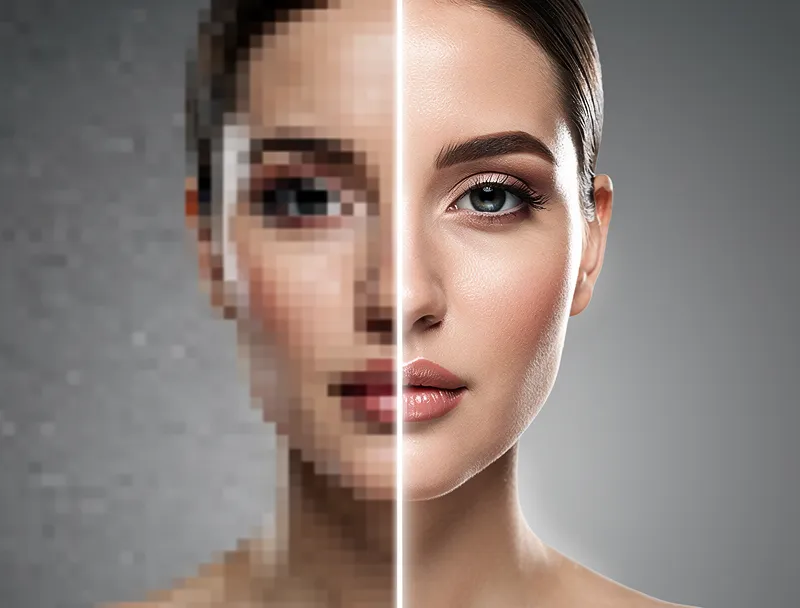
MyImageUpscaler uses a real-detail AI model — not bicubic interpolation. Upload a blurry 300px photo and get back a sharp 1200px version with actual texture and edge definition.
What separates it from the competition:
- No signup required. Most tools force account creation. This one does not.
- No watermarks. Your image comes back clean.
- Batch processing available. Multiple files, one session.
- Browser-based. No app download, no installation.
Try the free AI image upscaler now — upload a test image and see the result in seconds.

Try It Yourself
Upload your image and see the AI enhancement in action. Start with 10 free credits.
2. Let's Enhance
Free tier: 5 credits/month
Max upscale: 4x
Speed: 10–30 seconds
Good output quality. The free tier is genuinely limited at 5 images per month, which is restrictive if you have a batch to process. Requires account creation.
3. Upscayl (Desktop App)
Free tier: Fully free, open source
Max upscale: 4x
Speed: Varies by hardware
Upscayl is excellent if you want local processing — nothing leaves your machine. The catch: it's a desktop application. You need to download it, install it, and have decent GPU hardware for good speed. Not practical for quick one-off jobs or mobile use.
4. Adobe Firefly Upscale
Free tier: Limited monthly credits
Max upscale: 4x
Speed: Fast
Adobe's upscaler is solid, but it's tucked inside a Creative Cloud subscription or requires Firefly credits. If you already pay for Adobe, worth trying. If not, the cost is hard to justify when free alternatives exist.
5. Bigjpg
Free tier: Up to 10 images/day
Max upscale: 16x (free: 2x only)
Speed: Slow (queue-based)
Bigjpg has the highest upscale factor at paid tiers, but the free experience is frustrating: 2x only, slow queue times, and an outdated interface.
6. Waifu2x
Free tier: Fully free
Max upscale: 2x
Speed: Medium
Originally built for anime and illustration upscaling, Waifu2x handles clean line art well — if you specifically need to upscale anime images with AI, it's a solid choice. For photos it falls behind modern AI tools — edges can look over-smoothed and detail gets lost in textured areas.
7. Topaz Gigapixel AI (Trial)
Free tier: 30-day trial
Max upscale: 6x
Speed: Fast (desktop)
Topaz Gigapixel is one of the best desktop upscalers available. The output quality is excellent, especially for portrait and landscape photography. The trial is generous but the paid license costs $99+, making it hard to recommend for casual use.
8. Icons8 Smart Upscaler
Free tier: 5 images/month
Max upscale: 4x
Speed: Fast
Clean interface, decent quality on photos. The free tier is limited and the tool is buried within the larger Icons8 suite — not ideal if you just want a standalone upscaler.
9. Deep Image
Free tier: 5 images/month
Max upscale: 4x
Speed: Medium
Deep Image targets ecommerce use cases and does a reasonable job. Free tier is limited. Interface is clean but the output quality on heavily compressed JPEGs is inconsistent.
10. Pixelcut Upscaler
Free tier: Limited free tier with watermarks
Max upscale: 4x
Speed: Fast
Pixelcut is primarily a mobile app with a web companion. The upscaling is decent for quick social media use, but the free tier applies watermarks — a dealbreaker for professional work.
11. PicWish
Free tier: 5 free downloads/day
Max upscale: 4x
Speed: Fast
PicWish handles background removal and upscaling. The free tier is reasonable at 5 images per day but output quality trails the top tools, particularly on fine texture details.
12. Img.Upscaler
Free tier: 5 images/day
Max upscale: 4x
Speed: Slow
A basic tool with a simple interface. Works in a pinch but output quality is average — it struggles with faces and fine textures. The queue can be slow during peak hours.
Head-to-Head: Top 4 Compared
| Feature | MyImageUpscaler | Let's Enhance | Upscayl | Bigjpg |
|---|---|---|---|---|
| Free tier | Try free + 10 credits | 5/month | Unlimited | 10/day (2x only) |
| Signup required | No for trial, yes for free credits | Yes | No | No |
| Watermark | None | None | None | None |
| Max output | 4x free workflow; higher-quality tiers for large output | 4x | 4x | 2x free, higher on paid |
| Best use case | Fast online photos, product images, social posts, print prep | Polished photo enhancement | Private desktop processing | Anime and illustration tests |
| Result quality | Best overall balance of detail, speed, and clean exports | Good, but limited by credits | Strong if your device is powerful | Mixed; slow free queue |
| Browser-based | Yes | Yes | No | Yes |
| Batch processing | Yes | No on free tier | Yes | No |
MyImageUpscaler wins on no-barrier entry, no watermarks, batch support, and quality output. Looking specifically for tools that guarantee no watermarks? See our tested list of free AI upscalers with no watermark.
When You Need More Than Upscaling
Sometimes resolution is only part of the problem. If your image has noise, compression artifacts, or color issues alongside low resolution, standard upscaling alone may not be enough.
Our free image enhancement tools cover more ground: AI denoising, deblurring, sharpening, image enlargement, color correction, and background removal — all in the same place as the upscaler. No jumping between five different apps.
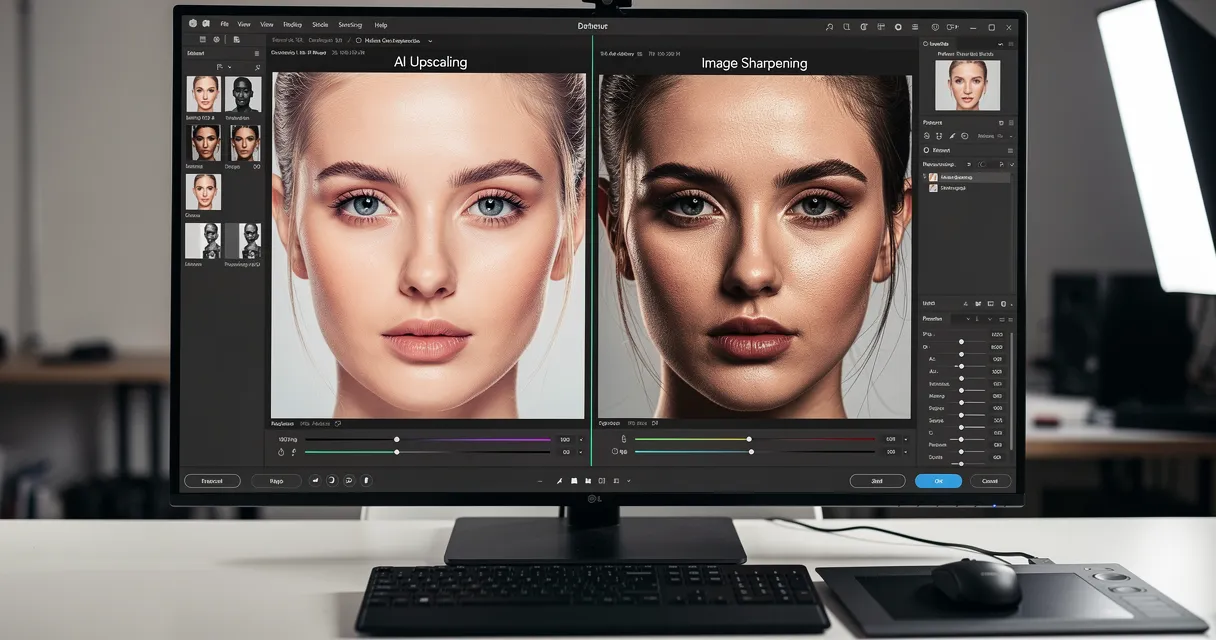
Not sure whether you need upscaling, sharpening, or noise reduction? Our AI upscaling vs sharpening guide explains exactly when to use each technique.
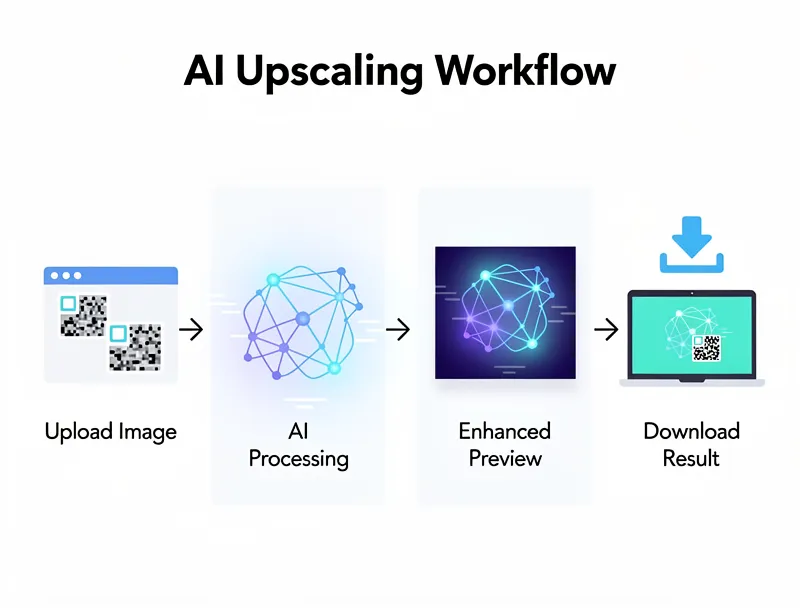
How to Use the Best Free AI Image Upscaler in 3 Steps
- Go to the upscaler — open the AI image upscaler tool
- Upload your image — drag and drop or click to select (JPEG, PNG, WebP, TIFF, BMP, AVIF)
- Download your result — enhanced image ready in seconds, full resolution, no watermark
That's it. No account. No registration. No credit card. No watermark.
Who Should Use a Free AI Image Upscaler?
Photographers fixing old scans or client-approved low-res files before large prints.
Ecommerce sellers who receive product images from manufacturers at 300px and need them at 1200px for their store.
Social media managers resizing assets for different platforms without sourcing new images.
Designers who inherit legacy assets and need print-ready versions without a budget for reshoot.
Everyday users who want grandma's old photo sharp enough to frame.
The short answer: anyone with a blurry photo and five seconds to spare.
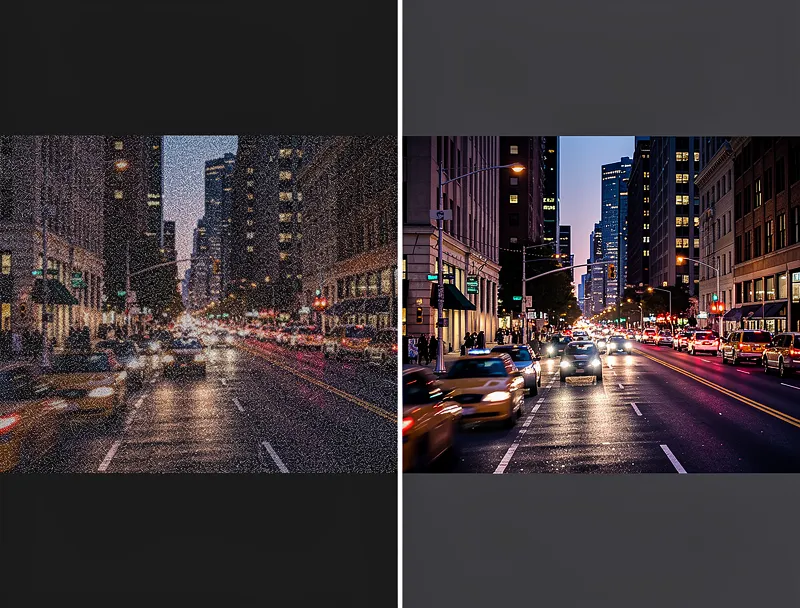
See the Difference
Experience crystal-clear upscaling that preserves text, logos, and fine details.
Conclusion
The best free AI image upscaler in 2026 is one that delivers quality results without barriers — no paywall, no account, no watermark. We tested 12 tools. MyImageUpscaler checked every box.
Start upscaling your images for free — results in seconds, no signup required to test.
Frequently Asked Questions
Is there a truly free AI image upscaler with no limits?
Yes. Try MyImageUpscaler instantly — no account required. Sign up free to get 10 credits, no credit card needed. Most competitors cap you at 5–10 images per month or require account creation first.
What is the best free AI image upscaler with no signup?
MyImageUpscaler is the best no-signup option we tested because you can upload an image and evaluate the result before creating an account. That makes it faster for one-off fixes than tools that block the upload behind registration.
Which free AI image upscaler has no watermark?
MyImageUpscaler, Upscayl, Let's Enhance, and Bigjpg can all export without obvious watermarks in the workflows we tested. MyImageUpscaler is the best online no-watermark pick because it also avoids the desktop-install step and keeps the upload flow simple.
Can I use a free AI image upscaler online?
Yes. Browser-based tools like MyImageUpscaler let you upscale images online without installing desktop software. That is the best choice for quick photo fixes, product images, and social posts when you need a result in seconds.
Can a free AI image upscaler make 4K or 8K images?
A 4x upscale can turn many small images into 4K-ready assets if the starting file is large enough. 8K output depends on the source resolution and quality tier, so use the highest-quality workflow for large displays or print.
Do I need an AI denoiser, sharpener, deblurrer, or enlarger?
Use an AI enlarger or upscaler when the image is too small. Use a denoiser for grain, a deblurrer for motion or focus softness, and a sharpener when the resolution is already high enough but edges need more clarity.
How much does AI image upscaling cost?
The basic upscaling function on MyImageUpscaler is completely free. You can process images without paying. Premium features like batch processing at scale may require a subscription, but the core 4x upscaler is always free.
What is the best free AI image upscaler for printing?
For printing, you need at least 300 DPI at the print dimensions. MyImageUpscaler's 4x upscale is designed with print quality in mind — it preserves edge sharpness and fine detail rather than creating a blurry interpolated result. See our complete guide to upscaling images for print at 300 DPI for step-by-step instructions.
Does AI upscaling actually improve image quality or just make it bigger?
AI upscaling uses a neural network trained on millions of images to reconstruct detail that was not in the original file. It does not just stretch pixels. The result looks sharper and more natural than a traditionally resized image.
Can I upscale images without losing quality?
Yes, within limits. AI upscaling produces a perceptually sharper result than traditional methods. Images upscaled 2x–4x with a good AI model look significantly better than the same image resized with bicubic algorithms.
Is MyImageUpscaler safe to use?
Yes. Images are processed securely and not stored permanently. Files are not retained after download. No account is needed, so there is no personal data tied to your uploads.

Reviewed byJoao Furtado
AI Image Upscaling Specialist
Joao is the founder of MyImageUpscaler and an AI image upscaling specialist. He tests every guide against real upscaling workflows — comparing model outputs, evaluating sharpness and artifact tradeoffs, and validating tool recommendations before publication.
- AI image upscaling
- Model comparison
- Photo restoration
- E-commerce image prep