Best Free AI Image Upscaler for Anime 2026: No Blur
We tested the best free AI image upscaler for anime in 2026 on screenshots, fan art, wallpapers, and line art to see which tools avoid blur and jagged edges.
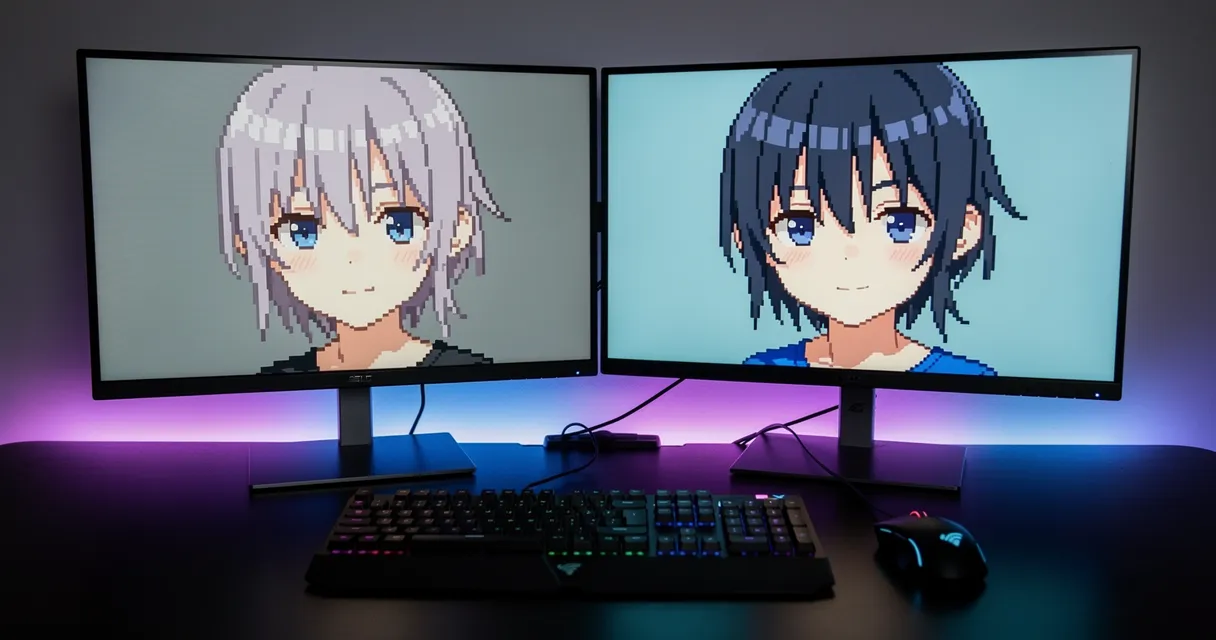
Standard upscaling tools make this worse. They smear the clean lines. They blur the flat-color fills that anime art depends on. They add noise to smooth gradients. Try our free AI anime upscaler and see what proper upscaling actually looks like.
Why Anime Images Are Harder to Upscale Than Photos
Photos and anime art have completely different visual signatures.
Photos have organic grain, gradual tonal shifts, and complex textures. Algorithms trained on photos know how to handle those.
Anime is built from:
- Hard, sharp outlines — a single pixel of blur destroys the look
- Flat color fills — large areas of a single color that must stay clean
- Precise gradients — subtle shading that should flow smoothly, not look noisy
- Fine details — hair strands, fabric patterns, text on signs
Standard bicubic or Lanczos upscaling treats anime like a photo. It blurs the edges trying to smooth them. It adds artifacts into the flat fills. The result looks like the image was printed through a wet towel.
AI upscaling trained on illustration-style content understands these patterns. It sharpens edges instead of blurring them. It keeps flat color areas clean. The difference is immediate.
5 Common Reasons People Need to Upscale Anime Images
1. Streaming screenshots are low resolution Services like Crunchyroll and Netflix compress streams heavily. A screenshot from your favorite show might be 720p with JPEG-style compression artifacts, even when the stream itself is 1080p. Upscaling cleans that up.
2. Fan art from older sources Fan art posted on forums, DeviantArt, or archived sites from the early 2010s often tops out at 800×600. The art itself might be excellent — it just needs more pixels to look right on modern screens.
3. Wallpaper sizing for 4K and ultra-wide monitors An image that fills a 1920×1080 screen will tile awkwardly or look blurry on a 4K monitor. AI upscaling can take a 1080p anime wallpaper to 4K without losing the character of the art.
4. Printing anime artwork Printing requires 300 DPI at the print size. A 1920×1080 image printed at poster size (18×24 inches) is only 80 DPI — way below the threshold for sharp output. Upscaling to 5400×7200 pixels before printing changes everything.
5. Resizing profile pictures and avatars A 256×256 avatar that looks fine small turns into a mess when shown at larger sizes on some platforms. Upscaling before resizing gives platforms better source material to work with.
How to Upscale Anime Images with AI (Step by Step)
The process takes about 30 seconds. No software installation. No account required.
!Three-step workflow for AI anime image upscaling: upload, process, download high resolution
Step 1: Go to MyImageUpscaler.com
Open the tool in any browser. It runs entirely in your browser on the processing side — no files are stored long-term.
Step 2: Upload your anime image
Drag and drop your file or click to browse. Supported formats include PNG, JPG, WebP, and AVIF. PNG is the best choice for anime since it's lossless.
Step 3: Choose your upscale factor
For most use cases:
- 2x — Good for profile pictures and web use
- 4x — The sweet spot for wallpapers and general printing
- 8x — For large-format posters or very small source images
Step 4: Download and use
The AI processes your image in seconds. Download the result as PNG or WebP for maximum quality.
Tips for Getting the Best Results
Start with the highest quality source you can find
AI upscaling enhances what's already there. A clean PNG will upscale better than a heavily JPEG-compressed version of the same image. When possible, find the original file or the highest-quality version available.
PNG beats JPEG for anime
JPEG compression introduces blocky artifacts around high-contrast edges — exactly the sharp outlines that anime art depends on. If you're working with JPEG source files, the AI upscaler will do its best, but you'll get noticeably better results starting from PNG.
4x is usually the right call
Going from 1080p to 4320p (4x) hits the resolution target for 4K monitors and handles most print sizes up to 24 inches wide. 8x is overkill for most use cases and takes longer to process.
Check the output at 100% zoom
After downloading, zoom in to 100% in an image viewer to check the quality. Look at line edges, flat color areas, and fine details. AI upscaling occasionally produces subtle artifacts in complex areas — you'll want to catch these before printing.
What to Do with Upscaled Anime Images
Desktop wallpapers A properly upscaled anime wallpaper at 3840×2160 will look sharper on a 4K monitor than the original ever did at 1080p. The AI adds real edge definition, not just bigger pixels.
Print posters and canvas High-quality prints require source files with enough pixels for the print size. An A2 poster at 300 DPI needs 7016×4961 pixels. Starting from a 1920×1080 image and upscaling 4x gives you 7680×4320 — more than enough.
Merchandise and stickers Custom print services like Redbubble and Printify need high-resolution uploads. Upscaling your favorite artwork before uploading means the final product actually looks good when it arrives.
Sharing and reposting Sharing a 4K version of a lower-res anime image online generally gets more engagement than posting the original compressed version. The difference is visible even in a thumbnail.
Anime-Specific FAQ
Does AI upscaling work on illustrations and manga as well?
Yes. The same principles apply to manga, illustrations, and digital art. Line-based artwork benefits especially from edge sharpening. Manga in particular, which relies on precise black-and-white line art, upscales very cleanly.
Will upscaling anime images add blur to the outlines?
Standard upscaling will. AI upscaling does the opposite — it sharpens and refines edges rather than blurring them. This is one of the main advantages of AI-based tools over traditional scaling algorithms.
What's the maximum upscale factor for anime images?
Most tools support up to 8x or 16x. Practically, 4x is the best tradeoff between quality and processing time for most anime images. Beyond 8x, results depend heavily on the quality and content of the source file.
Can I upscale a 360p or 480p anime screenshot?
Yes — and AI upscaling handles this better than you'd expect. A 480p source upscaled 4x gives you 1920p, which is full HD. A 360p source at 8x gets you to 2880p. There will be limits based on the original quality, but the results are usually far better than traditional methods.
Does upscaling work on older anime art styles?
Classic 90s and early 2000s anime art — cel animation style with very flat colors and bold outlines — actually upscales exceptionally well because the structure is clean. The AI has clear edges to work with.
Start Upscaling for Free
Upload your anime image now — no sign-up, no watermarks, no credit card. Results in seconds.
Whether it's a screenshot you want to use as a wallpaper, fan art you want to print, or a low-res profile picture you want to clean up, AI upscaling handles all of it. The free upscaling tool gives you full-resolution output without any catch.
Frequently Asked Questions
Quick answers for this guide
How do I choose the right free AI image upscaler for anime?+
Compare free AI image upscalers for anime in 2026 by line sharpness, color cleanup, no blur, no signup, and wallpaper output quality. Compare tools by output sharpness, watermark policy, signup requirements, file limits, export quality, and whether the result holds up when inspected at 100%.
When should I use AI upscaling for this workflow?+
Use AI upscaling when the original image is too small for the target use case but still has enough detail to guide the model. For guides work, pay closest attention to source image quality, upscale settings, output dimensions, and final visual inspection, especially upscale, AI, anime.
How do I avoid losing quality after upscaling?+
Upscale once from the best original, avoid repeated compression, keep important text and edges sharp, and export in a format that matches the final use. If the output shows halos, smeared texture, or distorted text, reduce the upscale factor or use a cleaner source image.

Reviewed byJoao Furtado
AI Image Upscaling Specialist
Joao is the founder of MyImageUpscaler and an AI image upscaling specialist. He tests every guide against real upscaling workflows — comparing model outputs, evaluating sharpness and artifact tradeoffs, and validating tool recommendations before publication.
- AI image upscaling
- Model comparison
- Photo restoration
- E-commerce image prep