
![How to Make Low Resolution Photos High Resolution with AI [2026]](https://xqysaylskffsfwunczbd.supabase.co/storage/v1/object/public/blog-images/2026/03/1773090212239-featured-lowres-highres.webp)
How to Make Low Resolution Photos High Resolution
Wanting to make a low resolution photo high resolution is one of the most common image problems people face. Maybe you cropped a photo too aggressively, received a tiny image over text, or found an old picture that's barely 500 pixels wide. Traditional resizing just makes things worse — more pixels, same blur.
AI upscaling changes that. Here's exactly how to do it.
Why Regular Resizing Doesn't Work
When you stretch a small image in any photo editor, the software guesses what goes between existing pixels. Methods like bilinear or bicubic interpolation just average nearby colors. The result? A larger image that looks soft, blurry, and sometimes blocky.
You've seen this before — a 400x300 photo dragged to 1600x1200 in PowerPoint. It looks terrible because no new detail was added. The image got bigger, but not sharper.
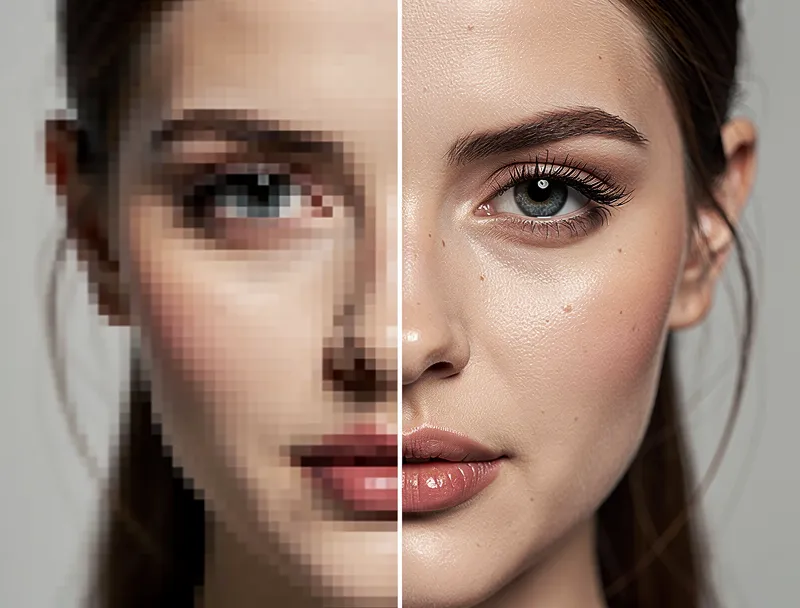
This is the core problem: resolution isn't just about pixel count. It's about actual detail in those pixels.
How AI Upscaling Actually Adds Detail
AI upscalers work differently from traditional resize tools. They're trained on millions of image pairs — low-res inputs and their high-res originals. The neural network learns patterns: what a sharp edge should look like, how fabric textures work, what skin detail looks like at higher resolutions.
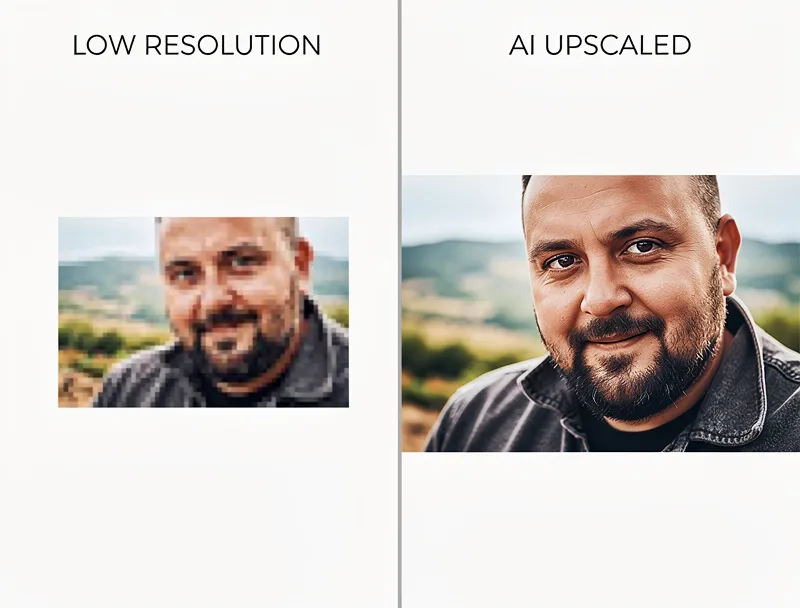
When you feed it a low-res photo, the AI doesn't just interpolate. It predicts what the missing detail should be based on everything it has learned. Edges get sharp. Text becomes readable. Textures appear where there was only blur.
The difference is dramatic. A 500x500 photo upscaled to 2000x2000 with AI looks genuinely sharper — not just bigger.
Step-by-Step: Make Your Photos High Resolution
Here's the fastest way to go from low-res to high-res:
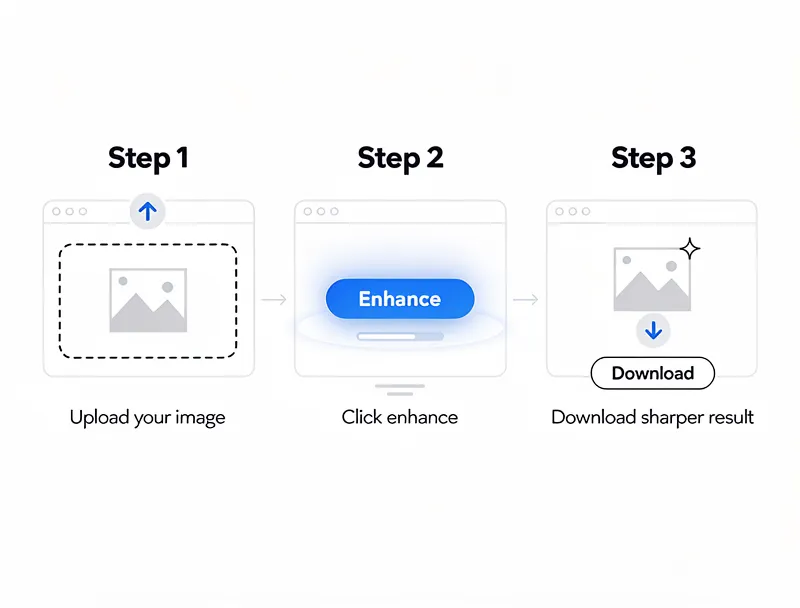
1. Choose Your Upscaling Tool
You need an AI-powered upscaler, not a basic image editor. Our free image upscaler handles photos up to 4x enlargement without quality loss. No account needed to try it.
2. Upload Your Photo
Drag and drop your low-res image. Most AI upscalers accept JPEG, PNG, WebP, and other common formats. Don't worry about the input size — even tiny 200x200 thumbnails can be upscaled.
3. Select Your Scale Factor
Pick how much larger you need the image:
- 2x — doubles dimensions (e.g., 500x500 → 1000x1000). Good for social media.
- 4x — quadruples dimensions (e.g., 500x500 → 2000x2000). Best for most uses.
- 8x — eight times larger. For when you need serious enlargement.
For most photos, 4x hits the sweet spot between size and quality.
4. Download Your High-Res Result
The AI processes your image in seconds. Download the enhanced version and compare it to the original.

Try It Yourself
Upload your image and see the AI enhancement in action. Start with 5 free credits.
What Results to Expect
Let's be honest about what AI upscaling can and can't do.
Works great for:
- Photos with moderate blur or low resolution (300-1000px)
- Portraits and faces — AI excels at reconstructing facial detail
- Landscapes and architecture — textures and edges sharpen well
- Product photos that need to be larger for listings or print
- Old scanned photos with limited resolution
Has limits with:
- Extremely tiny images (under 50x50 pixels) — there's not enough data to work with
- Heavy JPEG compression artifacts — upscaling amplifies existing damage
- Motion blur — AI adds resolution but can't undo camera shake
The key factor is your starting image. A 400px photo upscaled 4x to 1600px will look sharp. A 50px thumbnail upscaled 4x to 200px won't look as convincing because there's barely any original detail to build on.
Best Settings for Common Use Cases
Different situations call for different approaches:
Social Media Posts
Instagram wants 1080x1080 minimum. If your photo is 500px, a 2x upscale gets you to 1000px — close enough. For cover images, go 4x.
Printing
Prints need 300 DPI. For an 8x10 inch print, that's 2400x3000 pixels. If your source is 600x750, you need a 4x upscale to hit 4K resolution territory. Check our print resolution guide for exact calculations.
Website and E-commerce
Product photos should be at least 1000px on the longest side. Most marketplaces recommend 2000px+. Use our AI photo enhancer to get there — it handles batch processing too.
Presentations
Full-screen slides need at least 1920x1080. A quick 2x or 4x upscale turns a small web image into a crisp slide background.
Tips for the Best Results
Start with the best source you have. If you have the original photo somewhere, use that instead of a compressed thumbnail. Every bit of original detail helps.
Don't upscale screenshots of photos. If someone sent you a photo and you screenshotted it from a messaging app, ask them to send the original file instead. Screenshots add compression on top of compression.
Try different scale factors. Sometimes 2x looks better than 4x because the AI has more original data to work with per output pixel. If 4x looks over-processed, try 2x.
Check the edges. The easiest way to judge upscaling quality is to look at text and edges in the image. If letters are crisp and edges are clean, the upscale worked well.
Save as PNG for maximum quality. If you're going to edit the upscaled image further, save as PNG to avoid adding JPEG compression artifacts.
See the Difference
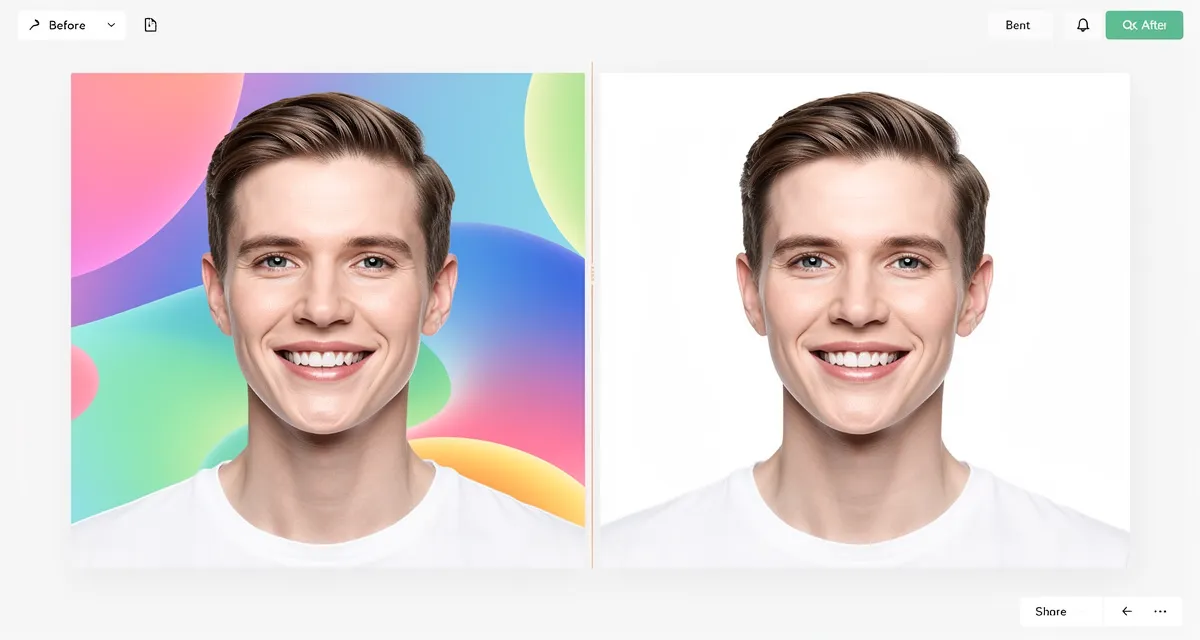
Experience crystal-clear upscaling that preserves text, logos, and fine details.
Conclusion
Making low resolution photos high resolution used to mean accepting blurry, stretched-out results. AI upscaling changed that. The technology genuinely adds detail — sharper edges, cleaner textures, readable text — instead of just making pixels bigger.
The process takes seconds: upload, pick your scale factor, download. No Photoshop skills required.
Try it free on MyImageUpscaler — no signup, no watermarks.
Frequently Asked Questions
Can you really make a low-resolution photo high-resolution?
Yes, with AI upscaling. Unlike traditional resizing that just stretches pixels, AI predicts and generates real detail based on patterns learned from millions of images. The result is a genuinely sharper, higher-resolution image.
How much can you enlarge a low-res photo?
4x is the practical sweet spot for most photos. A 500x500 image becomes 2000x2000 with good detail. Going to 8x works for moderate-resolution sources but starts losing quality on very small originals.
Is AI upscaling free?
Many tools offer free tiers. MyImageUpscaler gives you 10 free credits on signup — no credit card required. Each credit processes one image at up to 4x enlargement.
Will upscaling fix a blurry photo?
Upscaling adds resolution, not focus. If your photo is blurry from camera shake, upscaling makes a bigger blurry photo. But if it's blurry because it's low resolution (small file, heavy crop), upscaling will genuinely sharpen it.
What's the best format for upscaled images?
PNG preserves maximum quality after upscaling. Use JPEG only if you need smaller file sizes (web use). For modern browsers, WebP offers the best quality-to-size ratio.

Reviewed byJoao Furtado
AI Image Upscaling Specialist
Joao is the founder of MyImageUpscaler and an AI image upscaling specialist. He tests every guide against real upscaling workflows — comparing model outputs, evaluating sharpness and artifact tradeoffs, and validating tool recommendations before publication.
- AI image upscaling
- Model comparison
- Photo restoration
- E-commerce image prep
![Upscale Image Online Free — No Sign Up, No Watermarks [2026]](https://xqysaylskffsfwunczbd.supabase.co/storage/v1/object/public/blog-images/2026/02/1771797822106-featured-online-upscaler.webp)