Photoshop Upscaler vs Dedicated AI Upscalers: Which Is Better?
Photoshop's upscaler works. But is it worth a $54/month subscription just to enlarge photos?
I've tested Photoshop's Super Resolution and Preserve Details 2.0 against dedicated AI upscalers across hundreds of photos. Here's what actually happens with your files — and when each tool makes sense.
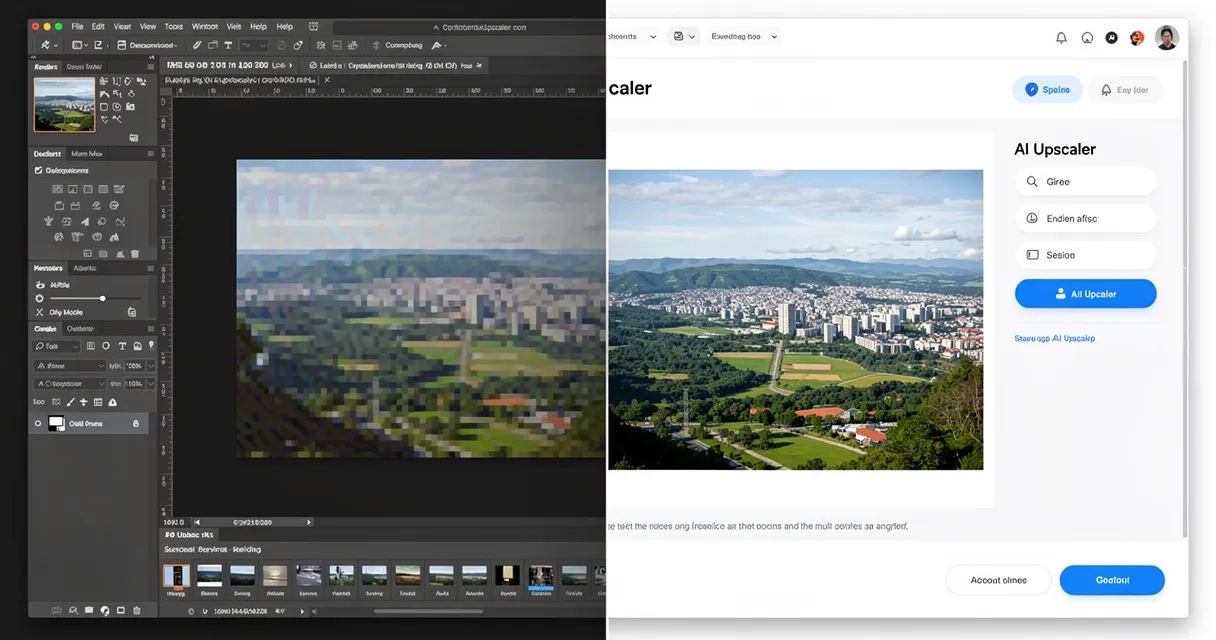
Direct answer: yes, Photoshop has an AI upscaler. It is called Super Resolution inside Adobe Camera Raw, and it doubles image dimensions in one pass. It is strongest for RAW camera files. A dedicated AI upscaler is usually faster for JPEG, PNG, WebP, screenshots, product photos, and 4x or 8x enlargements.
What Photoshop's Upscaler Actually Does
Photoshop has two upscaling methods worth knowing:
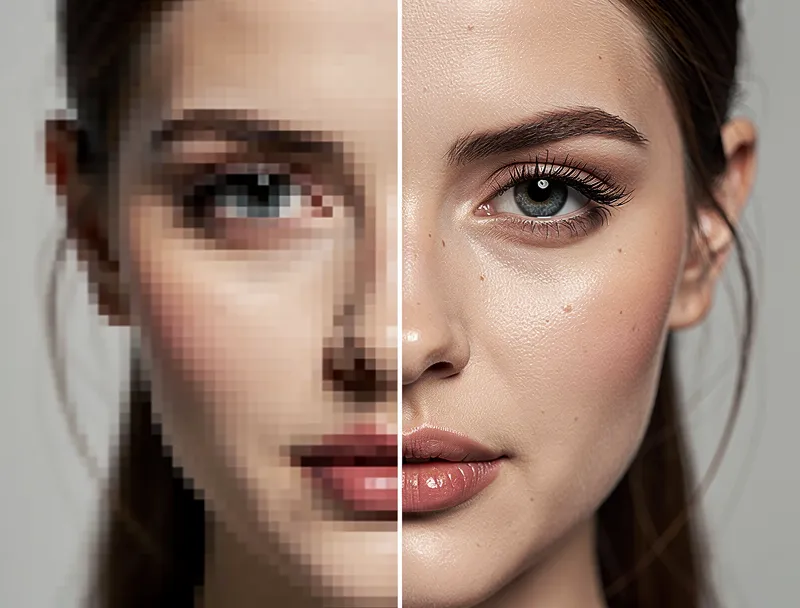
Preserve Details 2.0 — released in 2018, uses machine learning to add plausible detail when enlarging. Better than bicubic, but shows artifacts on complex textures like hair, fabric, and foliage.
Super Resolution — launched in 2021 via Camera Raw, it doubles an image's resolution (2x only) using Adobe's AI model. Genuinely impressive for RAW photos from supported cameras.
Neither method is bad. But both have real limitations that become obvious when you push them.
Photoshop's Upscaling Limits
1. Super Resolution only scales 2x
Need to go 4x? You run it twice, which compounds artifacts and processing time. A 500px image scaled to 2,000px requires two passes — and the second is noticeably worse than the first.
2. Super Resolution requires Camera Raw
It only works on RAW, JPEG, TIFF, or PNG files opened through Camera Raw. Screenshots, WebP exports from Figma, and AVIF files need extra conversion steps before you can access Super Resolution.
3. It costs $54/month
The full Creative Cloud Photography plan runs $54.99/month. If upscaling is your main use case, that's a steep entry price for one feature.
4. The workflow is slow
Open Camera Raw → select Super Resolution → wait 20–60 seconds per image → continue editing. For batch processing, it gets tedious fast.

Try It Yourself
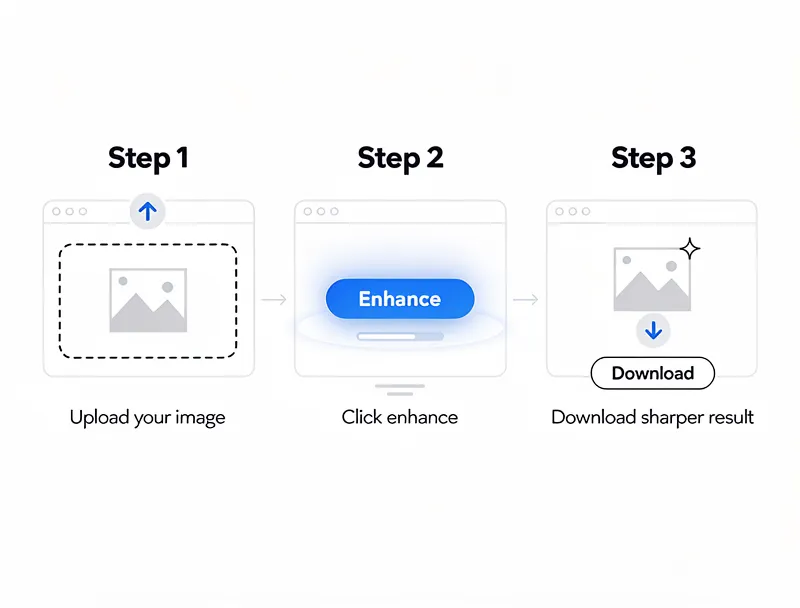
Upload your image and see the AI enhancement in action. Start with 10 free credits.
How Dedicated AI Upscalers Compare
Dedicated AI photo enhancers like MyImageUpscaler were built specifically for this task. Here's what's different:
No format restrictions. Drop in a JPEG, PNG, WebP, AVIF, or HEIC file and it works — no Camera Raw workarounds required.
Flexible scaling. 2x, 4x, or 8x in a single pass. A 500px image goes straight to 4,000px without running the process twice.
No subscription. Try it free with no account needed. Get 10 free credits on signup to test with your own photos — no credit card required.
Browser-based. Works on Windows, Mac, Linux, iPad — anything with a browser. No 3GB install.
Faster for batches. Process a folder of product photos or portfolio images without a heavy desktop application.
Test Matrix: Photoshop Super Resolution vs AI Upscaler
| Test File | Photoshop Super Resolution | Dedicated AI Upscaler | Winner |
|---|---|---|---|
| RAW portrait | Excellent texture and camera detail | Good, but less tied to RAW metadata | Photoshop |
| JPEG product photo | Strong 2x result, slower workflow | Clean 4x result and faster upload-download flow | AI upscaler |
| Web image or screenshot | Conversion/friction before Super Resolution | Direct upload and flexible scale | AI upscaler |
| AI art | Can sharpen but may not preserve style at high scale | Better style-aware enlargement at 4x/8x | AI upscaler |
Head-to-Head: When Each Tool Wins
| Scenario | Photoshop | Dedicated AI Upscaler |
|---|---|---|
| Already paying for Creative Cloud | ✅ Use what you have | Optional |
| Upscaling RAW camera files | ✅ Super Resolution excels | Good, but CR not needed |
| 4x or 8x enlargement | ❌ Two passes, more artifacts | ✅ Single-pass, cleaner |
| WebP or HEIC input | ❌ Conversion step required | ✅ Direct upload |
| Batch processing 20+ images | ❌ Slow, manual | ✅ Faster |
| Budget-conscious | ❌ $54/month | ✅ Free to start |
| No software to install | ❌ Requires installation | ✅ Browser-based |
The honest answer: Photoshop wins for RAW files and photographers already in the Adobe ecosystem. For everyone else — designers, marketers, e-commerce sellers, social media managers — a free image upscaler gets the job done faster with no subscription.
Which Format Is Your Image?
This matters more than most guides admit. Photoshop's Super Resolution delivers its best results on high-bit-depth RAW files from DSLR or mirrorless cameras.
For web images — JPEG, PNG, WebP — the quality gap between Photoshop and dedicated AI tools largely disappears. Tests on product images, social media assets, and UI screenshots consistently show comparable or better results from AI upscalers, in a fraction of the time.
If you're upscaling to 4K resolution for print or large display, 4x mode on a dedicated AI upscaler typically outperforms the two-pass Photoshop approach on non-RAW files.
See the Difference
Experience crystal-clear upscaling that preserves text, logos, and fine details.
The Verdict
You don't need Photoshop to upscale photos well.
If you're already paying for Creative Cloud, use Super Resolution for RAW files — it's legitimately good at what it does. For everything else — web images, product photos, logos, social media content — a dedicated AI upscaler is faster, cheaper, and more flexible.
Try MyImageUpscaler free — no signup required, instant results.
Frequently Asked Questions
Is Photoshop's Super Resolution better than other AI upscalers?
For RAW files from supported cameras, Super Resolution is excellent. For JPEG, PNG, and WebP images, dedicated AI upscalers often match or exceed its quality while being significantly faster and more flexible.
Can I upscale more than 2x in Photoshop?
Super Resolution only scales 2x per pass. To reach 4x, you run it twice — which takes longer and compounds artifacts from the first pass. Dedicated AI upscalers handle 4x in a single operation.
Does Photoshop upscale for free?
No. Photoshop requires a Creative Cloud subscription starting at $54.99/month. There is no free version with upscaling capabilities. MyImageUpscaler offers free upscaling without an account — 10 free credits on signup, no credit card required.
What file types does Photoshop's Super Resolution support?
Super Resolution works with RAW, JPEG, TIFF, and PNG via Camera Raw. WebP, AVIF, and HEIC files need conversion first. Dedicated AI upscalers typically accept all these formats directly.
Is it worth buying Photoshop just for upscaling?
Probably not. If upscaling is your primary need, a free or low-cost dedicated AI upscaler handles the task more efficiently. Photoshop makes sense if you need its full editing suite.
Frequently Asked Questions
Quick answers for this guide
How do I choose the right photoshop super resolution vs AI upscaler?+
Compare Photoshop Super Resolution with AI upscalers for JPEG, RAW, and web images. See quality, speed, and when each wins. Compare tools by output sharpness, watermark policy, signup requirements, file limits, export quality, and whether the result holds up when inspected at 100%.
When should I use AI upscaling for this workflow?+
Use AI upscaling when the original image is too small for the target use case but still has enough detail to guide the model. For comparisons work, pay closest attention to source image quality, upscale settings, output dimensions, and final visual inspection, especially upscale, AI, Photoshop.
How do I avoid losing quality after upscaling?+
Upscale once from the best original, avoid repeated compression, keep important text and edges sharp, and export in a format that matches the final use. If the output shows halos, smeared texture, or distorted text, reduce the upscale factor or use a cleaner source image.

Reviewed byJoao Furtado
AI Image Upscaling Specialist
Joao is the founder of MyImageUpscaler and an AI image upscaling specialist. He tests every guide against real upscaling workflows — comparing model outputs, evaluating sharpness and artifact tradeoffs, and validating tool recommendations before publication.
- AI image upscaling
- Model comparison
- Photo restoration
- E-commerce image prep
![Free AI Photo Enhancer Online [2026] - No Watermark](https://xqysaylskffsfwunczbd.supabase.co/storage/v1/object/public/blog-images/2026/04/1777143132700-enhancer-featured-new.webp)
![Best Free Photo Restoration Services Online [2026] — Tested](https://xqysaylskffsfwunczbd.supabase.co/storage/v1/object/public/blog-images/2026/04/1777143102637-restoration-featured-new.webp)